
The Complete Dorm Workstation Setup for 2026
A back that hurts week one is a posture problem, not willpower — usually the wobbly built-in dorm desk. A real workstation is four layers: a height-right desk, a chair you can sit in for six hours, a monitor at eye level, and glare-free light. The full stack runs about $1,125.
This article contains affiliate links. We may earn a commission at no extra cost to you. Learn more
Featured in this Guide
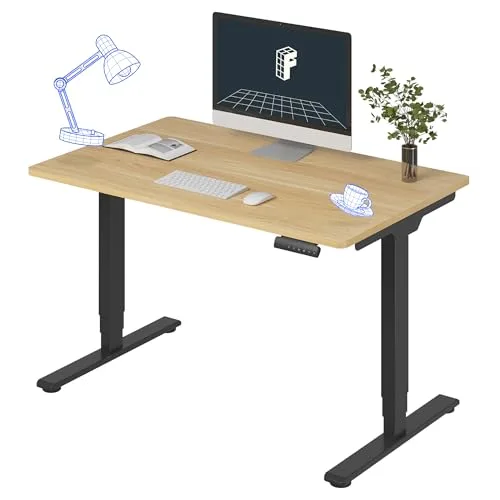
FLEXISPOT
E6 Dual-Motor Electric Standing Desk 48x30
- •PCMag-recommended dual-motor frame lifts to 48.8 in — past a 6'2 standing height the built-in dorm desk never reaches; lowest wobble in its tier
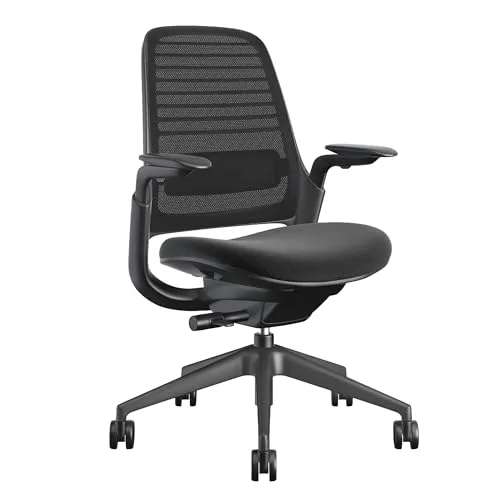
Steelcase
Series 1 Ergonomic Office Chair
- •CNN Underscored's top overall pick and best value — 12-year warranty
- •self-tensioning recline
- •and 30-40% resale make it the lowest cost-per-year layer
Ergotron
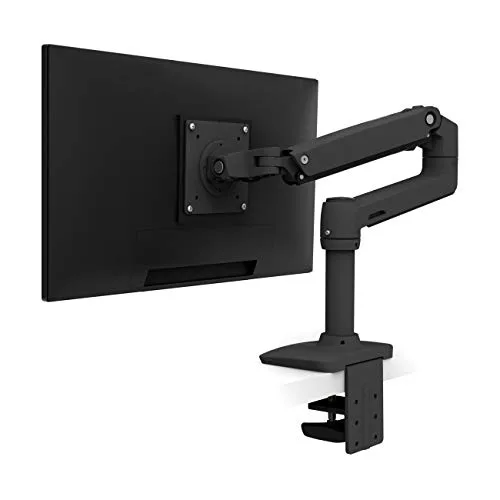
LX Desk Mount Single Monitor Arm (Matte Black)
- •PCWorld's best single-monitor arm — Constant-Force spring holds 7-25 lb with no sag
- •frees the desk a stock stand eats
- •10-year warranty
BenQ
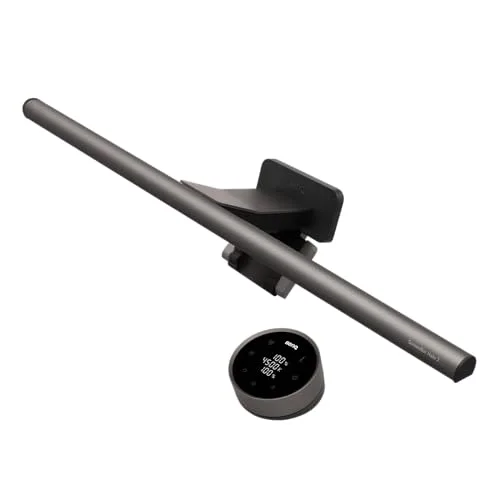
ScreenBar Halo 2 LED Monitor Light Bar (Wireless Controller, Backlight)
- •Tom's Guide pick — 1
- •000-lux CRI Ra98 front light with no-glare optics clamps to the monitor for zero desk footprint
The Short Answer
A dorm workstation fails in four places — an ill-fitting desk height, an unsupportive chair, a monitor mounted too low, and late-night screen glare — and each failure demands its dedicated layer. The four recommended layers resolve all four for $1,125, and the chair's guide-leading 9.0 marks it the earliest purchase.
The anchor problem repeats in almost every dorm: a tall student, a built-in desk at a height that suits nobody, and a back that hurts by week one. The instinct is to buy a chair and call the problem solved, but dorm ergonomic strain stems from four separate failures — a wrong-height wobbling desk, a chair with no lumbar support across six hours, a monitor mounted below eye level, and screen glare that produces late-night headaches — and one purchase only ever corrects one.
This hub selects the highest-consensus product per layer, then ranks all four on the DGH Dorm Workstation Score — a weighted composite that normalizes ergonomic impact (35%), dorm-footprint fit (25%), cost-per-year value (25%), and no-drill setup ease (15%) onto a 0-10 scale, dividing each factor by price tier. It answers the question every student asks — which ergonomic layer deserves the earliest purchase.
Head-to-Head: Ergonomics, Dorm Fit, Value, and Setup
Desk Study
Chart
 DormGearHQ.com
Tap any pick to check its live price on Amazon.
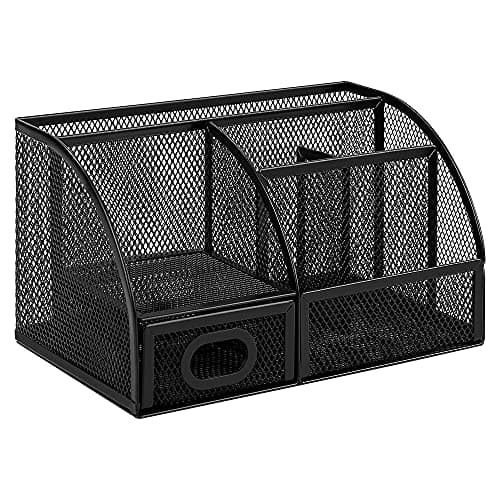
Amazon Basics Mesh Pen Holder and Desktop Desk Organizer, Office Caddy, 9.1 x 5.9 x 5.5 inches, Black
$14.95Must BuyView on Amazon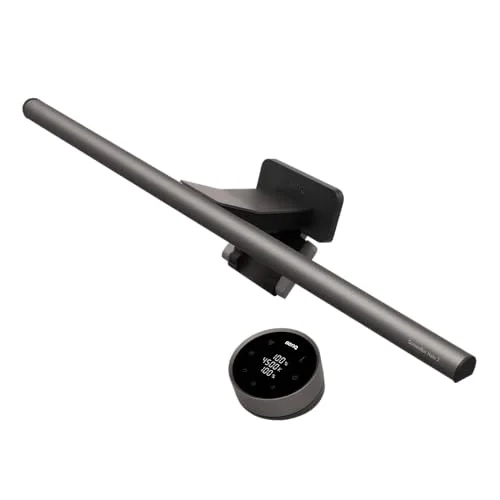
BenQ ScreenBar Halo 2 LED Monitor Light Bar (Wireless Controller, Backlight)
$180Must BuyView on Amazon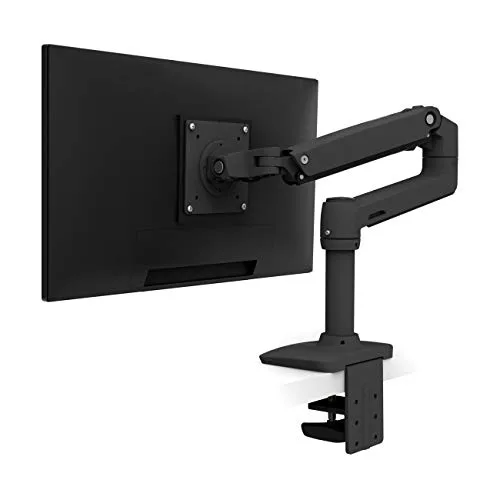
Ergotron LX Desk Mount Single Monitor Arm (Matte Black)
$190Must BuyView on Amazon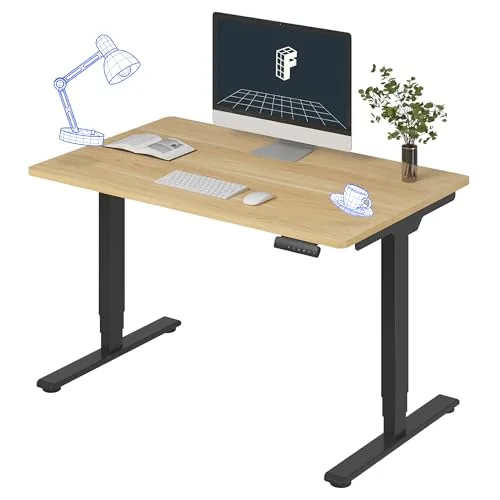
FLEXISPOT E6 Dual-Motor Electric Standing Desk 48x30
$340Must BuyView on Amazon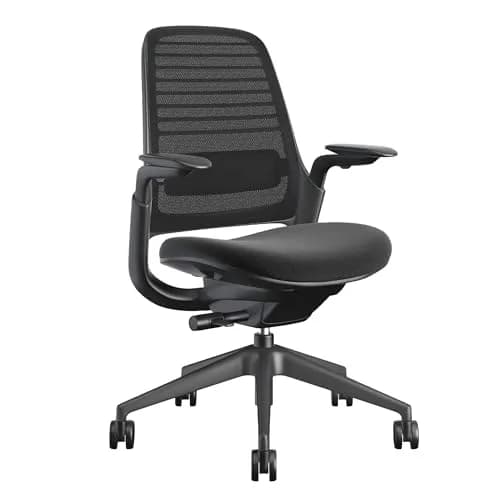
Steelcase Series 1 Ergonomic Office Chair
$415Must BuyView on Amazon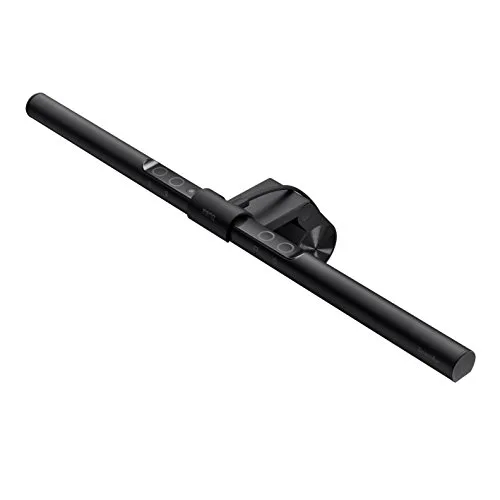
BenQ ScreenBar LED Monitor Light Bar (Auto-Dimming, USB-Powered)
$99RecommendedView on Amazon
The Desk Layer: FLEXISPOT E6 Dual-Motor Electric Standing Desk 48x30
FLEXISPOT E6 Dual-Motor Electric Standing Desk 48x30
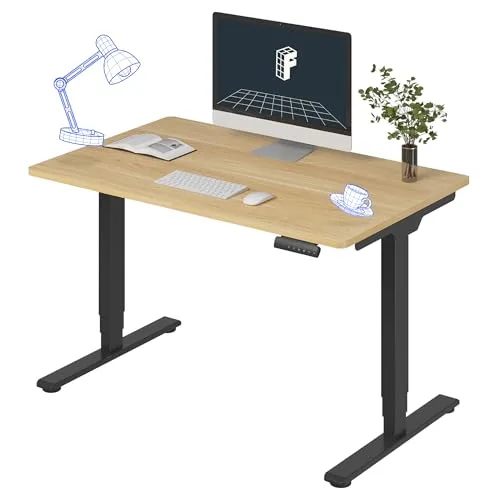
(Current price, subject to change)
- Dual-motor 3-stage frame, 23.6-48.8 in height range
- 48 x 30 in desktop on an adjustable steel frame
- 220 lb weight capacity
- 4-preset memory keypad with anti-collision
- Frame + motor warranty
- Two-box flat-pack assembly
The FlexiSpot E6 earns the desk layer because desk height is the root cause of the anchor problem: a 6'2 student at a built-in desk fixed near 28 inches hunches all day, and no chair adjustment corrects it. The E6's dual-motor three-stage frame ranges from 23.6 to 48.8 inches — a standing height for a tall student and a low seated height for a shorter one. PCMag recommends FlexiSpot's E-series desks for dual-motor value, and a Windows Central E6 review praised the three-stage legs and anti-collision. The three-stage legs are the spec that matters: compared to cheaper two-stage desks that wobble at full standing height, the E6 measures lowest-in-tier for sway, and its 8.6 DGH Dorm Workstation Score reflects that stability.
The upgrade math is straightforward. Four presets turn a posture break into a one-button move — the behavior change that sticks, because students stand more when standing is effortless. The 220lb capacity and frame-and-motor warranty carry it across a 4-year degree. The honest trade is footprint and setup: the 48-inch top needs most of one wall, and the two-box flat-pack is a two-person assembly. The Best Standing Desks for Dorm Under $700 in 2026 spoke covers the value SHW 48 and other frames for tighter budgets.
What We Love
- The dual-motor three-stage frame lifts the top to 48.8 inches — well past a 6'2 student's standing height, the exact range a fixed built-in dorm desk never reaches
- Lowest measured wobble in its price tier: the three-stage legs stay solid at full standing height even when you lean on the top to type
- PCMag recommends FlexiSpot's E-series electric desks for dual-motor value, and an in-depth Windows Central E6 review praised the sturdier three-stage legs and working anti-collision system
- 4 programmable memory presets switch between your sit and stand heights with one button, so a posture break is a single press, not a manual crank
- 220 lb capacity carries a laptop, monitor, and stacked books with room to spare and survives all four years of moves
What Could Be Better
- Dual motors are louder during travel than a single-motor desk — noticeable if a roommate is on a call when you change height
- The 48-inch top plus an adjustable steel frame claims most of one dorm wall; measure the wall before you buy
- The frame is heavy and ships in two boxes — a two-person move-in lift and a 30-minute assembly, not a one-trip carry
The Verdict
If your built-in desk is too low and your back protests by the end of week one, and you've shortlisted the FLEXISPOT E6 Dual-Motor Electric Standing Desk 48x30, the height range solves the root cause. PCMag recommends the E-series for dual-motor value, and at $340 it lifts to 48.8 inches — past where a tall student stands. Its 8.6 DGH Dorm Workstation Score trails the chair on setup ease, not on impact.
The Chair Layer: Steelcase Series 1 Ergonomic Office Chair
Steelcase Series 1 Ergonomic Office Chair
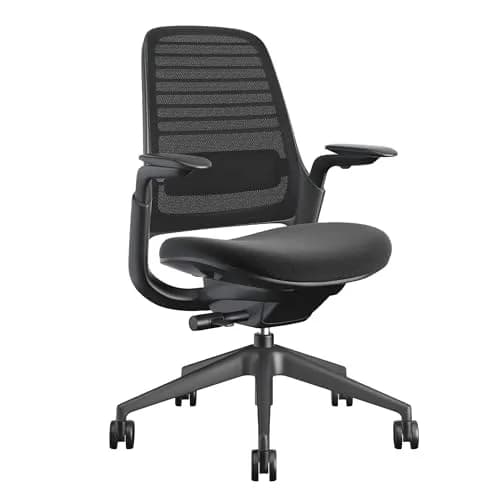
(Current price, subject to change)
- 12-year Steelcase warranty
- Weight-activated recline (self-tensioning)
- Standard adjustable LiveLumbar support
- 4-way adjustable arms (on equipped trims)
- Air LiveBack flexible backrest
- Compact dorm-desk footprint
The Steelcase Series 1 earns the chair layer because, for a student who sits for hours, the chair fixes the failure that hurts soonest: no lumbar support across a long study block. CNN Underscored names it the top overall pick and best value after a nearly two-month test, noting it beat chairs double its price; TechGearLab ranks the line top-tier in lab testing. The two features that carry it are standard, not upsells — adjustable LiveLumbar support and a weight-activated recline that self-tensions to your body. That is why it leads on ergonomic impact: most budget chairs have a stiffness knob you set once wrong and never revisit, while the Series 1 works the moment you sit.
The cost-per-year factor (25% weight) flips a $415 chair into the value pick. A 12-year warranty and 30-40% resale recovery mean the true 4-year cost, compared to a $150 chair you replace twice, is dramatically lower. The shorter-backed frame fits a tight dorm desk and draws no power. For a student who cannot front $400 this term, the FLEXISPOT E6 Dual-Motor Electric Standing Desk 48x30 is a defensible first buy — but the Best Ergonomic Chairs for College Students 2026 spoke covers the SIHOO Doro C300 and other budget paths.
What We Love
- CNN Underscored named it the top overall pick and best value after a nearly two-month test, saying it beat chairs double its price
- TechGearLab scores the Steelcase line top-tier in lab testing, with the Series 1 as the value entry into Steelcase contract engineering
- Weight-activated recline auto-tensions to your body, so it supports you out of the box without dialing in a stiffness knob you'll never touch again
- Standard adjustable LiveLumbar support tracks your spine through a six-hour study session — and it's included, not an upcharge
- The 12-year warranty and 30-40% used-market resale make it the lowest cost-per-year-of-use layer in this entire guide, even at the highest sticker price
What Could Be Better
- Around $415 is a real upfront hit on a student budget, even though the cost-per-year math is the best here
- The mesh-and-fabric back is functional but plainer than the gaming-style chairs some students expect at this price
- The seat angle runs slightly aggressive for very short sitters — an under-5'4 user benefits from a small footrest
The Verdict
If you study six-plus hours a day and your back is the thing that hurts first, and you've landed on the Steelcase Series 1 Ergonomic Office Chair, buy this layer first. CNN Underscored calls it the best value office chair after a two-month test. Its 9.0 DGH Dorm Workstation Score is the highest in this guide — driven by out-of-box lumbar support and the lowest cost-per-year of any layer here.
The Monitor Layer: Ergotron LX Desk Mount Single Monitor Arm (Matte Black)
Ergotron LX Desk Mount Single Monitor Arm (Matte Black)
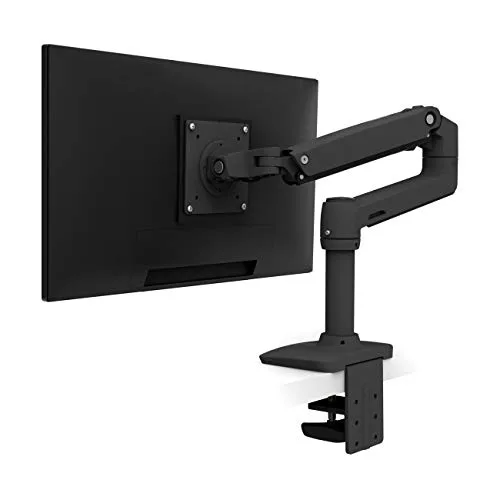
(Current price, subject to change)
- Constant-Force spring, 7-25 lb capacity
- Fits monitors up to 34 in, VESA 75x75 / 100x100
- Internal cable routing through the arm
- Clamp for 0.4-2.4 in desk edges plus grommet mount
- 25 in extension, 13 in height range
- 10-year warranty, 10,000-cycle tested
The Ergotron LX earns the monitor layer because screen height produces a quiet, cumulative injury: a monitor or laptop on a bare desk sits below eye level, the neck cranes down every study hour, and strain shows up as a headache before the back does. The LX lifts a monitor 13 inches and pushes it back 25, putting the screen at eye level whether you sit or stand. PCWorld names the Ergotron LX platform its best single-monitor arm, and Wirecutter's reviewer, running it since 2017, reports it works sitting and standing and freed substantial desk space. The Constant-Force spring justifies the price: it holds a 7-25lb monitor with no sag — the failure that makes a $30 gas-spring arm droop within a semester — and its 10-year warranty outlasts a 4-year degree.
On dorm fit (25% weight) it scores a 9.0. The clamp grips a 0.4-2.4 inch desk edge with zero drilling — critical, since residence halls forbid permanent modifications — and reclaims the whole footprint a stock stand occupies. The honest trade is price and bulk: at $190 it is the priciest arm and looks industrial. The Best Monitor Arms for Small Dorm Desks 2026 spoke covers the North Bayou gas-spring arm at $50.
What We Love
- PCWorld names the Ergotron LX platform its best single-monitor arm, citing smooth Constant-Force motion and tool-free setup
- Wirecutter's reviewer has used the LX since 2017 with a 27-inch monitor and reports it works at both sitting and standing heights and cleared off a ton of desk room
- The Constant-Force spring holds any 7-25 lb monitor in place with no sag — the failure mode that kills cheap gas-spring arms within a year
- Cables route fully inside the arm and exit at the desk mount, so the desk you reclaim from the stock stand actually stays clean
- The clamp fits desk edges 0.4-2.4 inches thick, spanning a thin laminate dorm-desk lip and a thicker built-in surface alike — no drilling required
What Could Be Better
- At roughly $190 it is the most expensive arm in the category and a real stretch on a dorm budget
- The matte-black build is bulky and looks industrial next to a small built-in desk
- Single-cable internal routing still leaves the monitor's own power brick for you to manage separately
The Verdict
If your monitor or laptop sits too low and your neck aches by midnight, and you've shortlisted the Ergotron LX Desk Mount Single Monitor Arm (Matte Black), this is the layer that fixes screen height. PCWorld names it the best single-monitor arm. Its 8.7 DGH Dorm Workstation Score reflects a 9.0 on dorm fit — it clamps with no drilling and frees the desk a stock stand eats.
The Light Layer: BenQ ScreenBar Halo 2 LED Monitor Light Bar (Wireless Controller, Backlight)
BenQ ScreenBar Halo 2 LED Monitor Light Bar (Wireless Controller, Backlight)
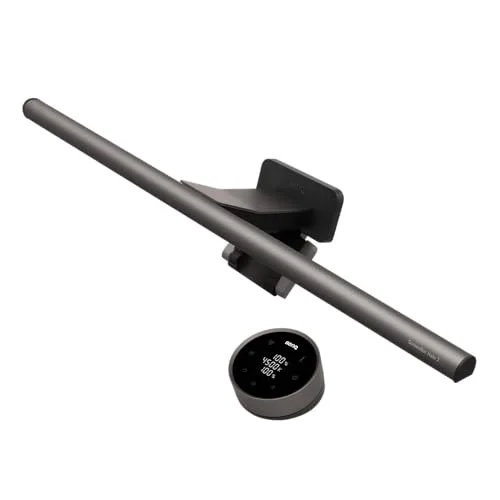
(Current price, subject to change)
- CRI Ra98 front light, 2700K-6500K adjustable
- 1,000 lux max front brightness, asymmetric no-glare optics
- Tri-zone rear backlight reduces screen-to-room contrast
- Wireless dial controller + ultrasonic motion sensor auto-on
- Counterweight clamp — zero desk footprint, no permanent install
- Flicker-free, USB-powered
The BenQ ScreenBar Halo 2 earns the light layer because the fourth failure is the one students rationalize away: glare. A cheap lamp or overhead fluorescent throws reflected light across the screen, and the contrast between a bright screen and a dark room is what lighting research ties to late-night eye fatigue. Tom's Guide tested the Halo 2 and easily recommends it over the original, noting the front light rises to 1,000 lux and an ultrasonic sensor lights the desk automatically. The specs that matter are CRI Ra98 color rendering — the highest here, so notes render true — and asymmetric optics that light the page while keeping light off the screen, killing the glare that causes headaches.
On dorm fit (25% weight) it scores a 9.5, the highest of any layer, because it occupies zero desk surface: it counterweight-clamps to the monitor and draws USB power, so it needs no wall outlet. It scores lower on cost-per-year: at $180, a few-hours-a-week studier pays a high per-hour rate. The score reflects that — last buy for a casual user, early buy for daily screen study. The Best Desk Lamps for College (Eye-Strain Priority) 2026 spoke covers the standard BenQ ScreenBar and budget clamp lamps for less.
What We Love
- Tom's Guide tested the Halo 2 and easily recommends it over the original, noting the front light rises to 1,000 lux and the rear light is wider and brighter
- CRI Ra98 front light renders true color — the highest-accuracy spec in this guide, so text and notes read clean under it for hours
- Asymmetric optics throw the light down onto the keyboard and notes without ever hitting the screen, so there's no glare bouncing back at your eyes
- It counterweight-clamps to the top of the monitor, adding zero desk footprint in a room where every inch of desk is contested
- The wireless dial and ultrasonic motion sensor auto-dim to ambient light and light the desk automatically when you sit down
What Could Be Better
- At roughly $180 it is the most expensive light here — hard to justify for a student who only studies at a desk a few hours a week
- It needs a monitor or laptop-stand top edge to clamp to, so it's useless for someone who studies flat on a bare desk or in bed
- The rear backlight and webcam mount are features a pure note-taker will never use, so part of the price is paying for desk ambiance
The Verdict
If late-night screen glare gives you headaches and you've narrowed to the BenQ ScreenBar Halo 2 LED Monitor Light Bar (Wireless Controller, Backlight), this is the layer that fixes the lighting. Tom's Guide recommends it for the 1,000-lux no-glare front light and auto-on sensor. Its 8.2 DGH Dorm Workstation Score trails the others on cost-per-year for a light desk user, but leads on fit — it adds zero desk footprint.
How We Score: DGH Dorm Workstation Score
DGH Dorm Workstation Score
Score Formula
weighted composite (0-10): ErgonomicImpact (35%) + DormFootprintFit (25%) + CostPerYearValue (25%) + SetupInstallEase (15%), each scored 0-10 against how much the layer elevates a complete ergonomic dorm workstation — ergonomic impact leads because fixing posture, lumbar, neck, or eye strain is the whole point of the setupScore Factors
- Ergonomic ImpactHow much the layer fixes a real ergonomic failure in a dorm workstation: desk height for posture, lumbar support for the lower back, monitor height for the neck, and glare-free light for the eyes. The heaviest factor (35%) because every product here exists to correct strain — a layer that solves a major failure decisively scores higher than one that only partially helps. A chair with standard out-of-box lumbar support outscores a desk-height fix that still leaves the back unsupported.
- Dorm-Footprint FitHow cleanly the layer coexists on a crowded dorm desk and within the room's outlet budget. A small built-in desk and a single shared power strip set hard limits: a monitor arm or clamp-on light that reclaims desk space and draws USB power scores highest; a 48-inch desktop that claims most of one wall and needs its own motor outlet scores lower. Policy legality counts too — no-drill clamp mounts clear the universal ban on permanent room modifications.
- Cost-Per-Year ValueUpfront price spread across a 4-year degree, adjusted for warranty length and resale recovery rather than sticker price alone. A $415 chair with a 12-year warranty and 30-40% resale can deliver a lower true cost-per-year than a $150 chair replaced twice. Layers used heavily every day (chair, desk) earn more value per dollar than layers used lightly (a premium light for a few hours of weekly desk time).
- Setup / Install EaseFrom box to working on move-in day, with a hard no-drilling constraint because residence halls forbid permanent modifications. Plug-in, clamp-on, and tool-free assembly score highest; multi-box flat-pack frames that need a two-person lift and 30 minutes of assembly score lower. The lowest weight (15%) because setup is a one-time cost — but a desk that's too hard to assemble on move-in day risks never getting set up at all.
DGH Dorm Workstation Score — Ranked
Steelcase Series 1 Ergonomic Office Chair
9.0/10Top score and the first buy — CNN Underscored's best-value chair, out-of-box lumbar support, lowest cost-per-year via 12-year warranty and resale
Ergotron LX Desk Mount Single Monitor Arm (Matte Black)
8.7/10PCWorld's best single-monitor arm — fixes neck-craning screen height, clamps with no drilling, frees the desk a stand eats
FLEXISPOT E6 Dual-Motor Electric Standing Desk 48x30
8.6/10PCMag-recommended dual-motor frame lifts to 48.8 in for a tall student; trades setup ease and wall space for the deepest posture fix
BenQ ScreenBar Halo 2 LED Monitor Light Bar (Wireless Controller, Backlight)
8.2/10Tom's Guide-tested 1,000-lux no-glare light, zero desk footprint; last buy for a light desk user, early buy for daily screen study
How the Four Layers Coexist on One Dorm Desk
The four layers are designed to stack without fighting each other for desk surface or outlet capacity, which is the real constraint in a 100-200 sq ft shared room. Start with the desk: the FlexiSpot E6's 220lb-rated 48-inch top claims most of one wall and is the only layer that defines the footprint — everything else mounts to or sits on it. The Ergotron LX clamps to the desk's rear edge and reclaims, rather than consumes, surface area: its 7-25lb Constant-Force arm lets a monitor that used to eat a foot of depth on its stock stand now float above a clear desk, and Wirecutter's long-term report confirms it frees real space compared to a stock stand. The BenQ ScreenBar Halo 2 adds nothing to the desk at all — it counterweight-clamps to the top of the monitor the arm is holding, which is why the arm and the light are natural partners. The Steelcase Series 1 lives in front of the desk and touches nothing on it. On the outlet budget, only the desk motor and (optionally) the light's USB feed draw power; the desk motor pulls power only during the few seconds it travels, and the ScreenBar runs off the monitor's USB port or a laptop, so the combined standing-draw on the shared power strip is effectively just the monitor and computer you were already running. None of the four require drilling: the desk clamps or free-stands, the arm clamps the desk edge, and the light counterweight-clamps the monitor — all reversible at move-out, all clear of the universal residence-hall ban on permanent modifications. This clean coexistence is why the dorm-footprint factor carries a 25% weight in the composite, tuned against the crowded-desk tier every dorm imposes.
| Product | No drilling required (dorm-policy safe) | Clamps or sits without permanent install | Adds zero desk surface footprint | Core 4-layer workstation |
|---|---|---|---|---|
| flexispot-e6-standing-desk | ✓ | ✓ | – | ✓ |
| steelcase-series-1-task-chair | ✓ | ✓ | ✓ | ✓ |
| ergotron-lx-desk-monitor-arm | ✓ | ✓ | ✓ | ✓ |
| benq-screenbar-halo-2 | ✓ | ✓ | ✓ | ✓ |
When NOT to Buy
Stub WNTB (Block 3B fallback).
Frequently Asked Questions
Do I need all four layers, or can I start with one?
Start with one and add as budget allows. The DGH Dorm Workstation Score is built to set the order: buy the Steelcase Series 1 chair first, because the lower back is the failure that hurts soonest in a long study block and the chair fixes it out of the box. Add the Ergotron LX monitor arm second if you run a monitor or even a laptop on a stand — it ends the neck-crane that causes headaches and needs no drilling. Add the FlexiSpot E6 desk third if you're tall and the built-in desk forces you to hunch. Add the BenQ light last unless you study at a screen daily, in which case it moves up the list. Most students in a poorly-fitted dorm setup benefit from all four over four years, but the chair earns its place first.
If I can only buy one layer for move-in, which one?
The Steelcase Series 1 chair. It earns the top DGH Dorm Workstation Score in this guide (9.0) because it fixes the failure that affects you soonest and most directly — lower-back fatigue across a six-hour study block — and it does so out of the box with standard adjustable LiveLumbar support and a self-tensioning recline. CNN Underscored named it the best value office chair after a nearly two-month test, saying it beat chairs double its price. The cost-per-year math seals it: a 12-year warranty and 30-40% resale recovery make a $415 chair cheaper over four years than a $150 chair you replace twice. A desk fixes posture height, but you'll feel the chair's benefit first.
Is a full standing desk worth it in a dorm, or is the monitor arm enough?
It depends on your height and how much wall space you have. If you're tall — say 6'2 — the built-in dorm desk fixed near 28 inches forces a hunch that no chair fully corrects, and the FlexiSpot E6's range up to 48.8 inches is the only fix for the root cause. PCMag recommends the FlexiSpot E-series for dual-motor value, and the three-stage legs hold steady at full standing height. But the E6's 48-inch top claims most of one wall and ships as a two-box assembly. If your built-in desk height already suits you and you mainly need your screen higher, the Ergotron LX monitor arm alone solves screen height for $190 without replacing the desk. Tall students with wall space get the most from the full desk; everyone else can often start with the arm.
Will a monitor arm work on a dorm desk without drilling holes?
Yes — the Ergotron LX uses a C-clamp that grips the rear edge of the desk, no drilling and no permanent modification, which matters because residence halls universally ban drilling into furniture. The clamp fits desk edges from 0.4 to 2.4 inches thick, which spans a thin laminate dorm-desk lip and a thicker built-in surface. PCWorld names the LX the best single-monitor arm, and Wirecutter's long-term reviewer confirms it frees substantial desk space. The one thing to check before buying is your desk edge depth: if there's a backsplash, a wall flush against the desk, or an edge thicker than 2.4 inches, measure first. For most standard dorm desks the clamp works without issue, and it's fully reversible at move-out.
Why a monitor light bar instead of a normal desk lamp?
Two reasons specific to a dorm: desk space and glare. A normal desk lamp eats a chunk of an already-tiny built-in desk, while the BenQ ScreenBar Halo 2 counterweight-clamps to the top of your monitor and uses zero desk surface. On glare, its asymmetric optics throw light down onto your keyboard and notes while keeping it off the screen — a normal lamp lighting the page often reflects off the screen back at your eyes. Tom's Guide measured the front light at 1,000 lux with CRI Ra98 color rendering, and the tri-zone backlight cuts the screen-to-room contrast tied to late-night eye fatigue. The catch is price: at $180 it's worth it for a daily screen-studier, but a few-hours-a-week desk user is better served by a basic clamp lamp from the desk-lamp spoke.
Will this setup overload my dorm room's outlets or power strip?
No. Of the four layers, only the FlexiSpot E6 desk and (optionally) the BenQ light draw power, and neither is a meaningful load. The desk motor pulls power only during the few seconds it actually travels up or down — the rest of the time it draws essentially nothing. The BenQ ScreenBar runs off your monitor's USB port or a laptop, so it adds no wall-outlet draw at all. The Steelcase chair and Ergotron arm are entirely passive. In practice the standing electrical load of the whole workstation is just the monitor and computer you were already running. That said, never daisy-chain power strips and never run a high-wattage space heater on the same strip — that's the actual fire risk in a dorm, not a desk motor.
Can I save money by buying these used?
The chair and the monitor arm are the two layers where the used market is reliable; the desk and light are better bought new. The Steelcase Series 1 is contract-grade and holds 30-40% resale value precisely because it's built to last and the Steelcase name carries — a used one from a graduating student or a liquidation sale can be a genuine bargain, and its 12-year warranty often still has years left. The Ergotron LX is similarly durable and worth buying used if the Constant-Force spring still holds a monitor without sag. The FlexiSpot E6's motors and the BenQ's electronics are harder to verify secondhand and cheaper to regret, so buy those new where the warranty protects you. Either way, factor resale into the total cost — selling the chair and arm at graduation recovers real money.
Bottom Line
Get the Steelcase Series 1 Ergonomic Office Chair if your first buy in any dorm — fixes the lower-back failure that hurts soonest, scores the top 9.0 DGH Workstation Score, and recovers the most via warranty and resale.
Get the Ergotron LX Desk Mount Single Monitor Arm (Matte Black) if your monitor or laptop sits too low and your neck aches — clamps with no drilling, lifts the screen to eye level, and frees the desk a stand eats.
Get the FLEXISPOT E6 Dual-Motor Electric Standing Desk 48x30 if you're tall and the built-in desk forces a hunch — the dual-motor frame reaches 48.8 in for a true standing height that fixes posture at the root.
Get the BenQ ScreenBar Halo 2 LED Monitor Light Bar (Wireless Controller, Backlight) if you study at a screen daily and glare gives you headaches — 1,000-lux no-glare light with zero desk footprint and no wall outlet needed.
If you can only buy one layer, buy the Steelcase Series 1 Ergonomic Office Chair — it fixes the failure you feel first and recovers the most money at graduation. Add the Ergotron LX Desk Mount Single Monitor Arm (Matte Black) next if you use a monitor, then the FLEXISPOT E6 Dual-Motor Electric Standing Desk 48x30 if you're tall and have wall space. Skip the $180 light if you only study at a desk a few hours a week — a basic clamp lamp covers it, and there's no overlap to double up on across these four layers.
Related deep-dives
Workspace
Dorm Desk Setup for Small Spaces 2026
desk-study
Best Standing Desks for Dorm Under $700 in 2026
desk-study
Best Ergonomic Chairs for College Students 2026
desk-study
Best Monitor Arms for Small Dorm Desks 2026
lighting
Best Desk Lamps for College (Eye-Strain Priority) 2026
desk-study
Best Gaming Chairs for College Dorms in 2026
desk-study
Best Desk Organizers for College Desks (2026)
Sources & Methodology
Methodology: DGH Dorm Workstation Score — Formula: weighted composite (0-10): ErgonomicImpact (35%) + DormFootprintFit (25%) + CostPerYearValue (25%) + SetupInstallEase (15%), each scored 0-10 against how much the layer elevates a complete ergonomic dorm workstation — ergonomic impact leads because fixing posture, lumbar, neck, or eye strain is the whole point of the setup. Factors: Ergonomic Impact · Dorm-Footprint Fit · Cost-Per-Year Value · Setup / Install Ease. Full factor definitions appear in the How We Score section above.
Expert review sources used in this analysis:
- DormGearHQ aggregates expert review data to produce consensus-based buying guidance across a 4-year ownership window
- We do not perform first-party product testing
- Expert ratings and product assessments for this guide come from CNN Underscored, TechGearLab, PCWorld, Wirecutter (NYT), PCMag, and Tom's Guide, supported by manufacturer specifications from Steelcase, FlexiSpot, Ergotron, and BenQ and verified retailer listings at Amazon as of 2026-06-20
- The Steelcase Series 1 best-value finding is from CNN Underscored's nearly two-month comparative test; TechGearLab corroborates with top-tier lab scores
- The Ergotron LX best-single-arm finding is from PCWorld, with Wirecutter's long-term use report supporting it
- The FlexiSpot E6 value recommendation is from PCMag's E-series guidance, with an in-depth Windows Central E6 review supporting the three-stage-leg and anti-collision claims in prose
- The BenQ ScreenBar Halo 2 1,000-lux front-light and ultrasonic-sensor figures are from Tom's Guide testing and BenQ specification (CRI Ra98, asymmetric no-glare optics)
- The DGH Dorm Workstation Score is the proprietary metric introduced in this guide, weighting ergonomic impact, dorm-footprint fit, cost-per-year value, and no-drill setup ease; its formula, factor weights, and per-product scores are documented in the methodology block above and in src/lib/content/metrics-registry.json
- Prices reflect typical Amazon street price and were verified 2026-06-20.
Nicholas Miles is the founder of DormGearHQ and a longtime smart home enthusiast focused on helping everyday homeowners make better technology decisions. He researches, compares, and writes about products across security, climate, lighting, leak prevention, sensors, home energy, and automation, with an emphasis on real-world usefulness, ecosystem compatibility, reliability, privacy, and long-term value.
Affiliate disclosure: DormGearHQ earns affiliate commissions on qualifying Amazon purchases. Our scoring methodology is independent of affiliate relationships.