
Best Desk Lamps for College (Eye-Strain Priority) 2026
The dorm overhead leaves you squinting at a glowing laptop — the contrast that drives the hour-two headache. The fix pulls three levers: flicker-free LED, high CRI, and glare control. The BenQ ScreenBar ($99) wins the DGH Cost-per-Year-of-Use math at about $8 a year.
This article contains affiliate links. We may earn a commission at no extra cost to you. Learn more
Featured in this Guide
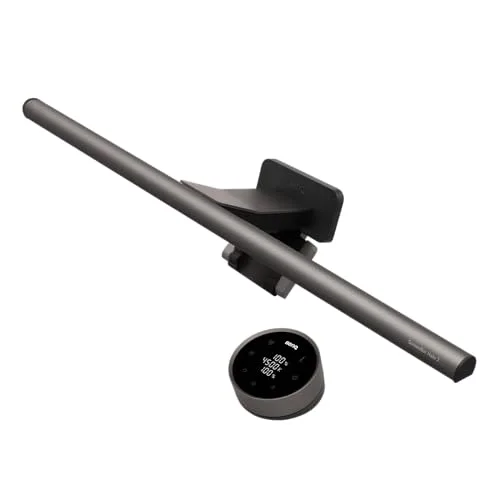
BenQ
ScreenBar Halo 2 LED Monitor Light Bar (Wireless Controller, Backlight)
- •Tom's Guide's pick: Ra98 color
- •1
- •000-lux asymmetric no-glare optics
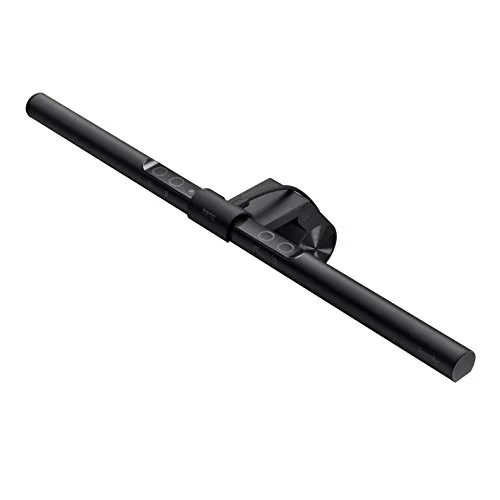
BenQ
ScreenBar LED Monitor Light Bar (Auto-Dimming, USB-Powered)
- •Same CRI>95 flicker-free no-glare optics as the Halo line at $99; USB-powered off the monitor
- •zero desk footprint
- •no install
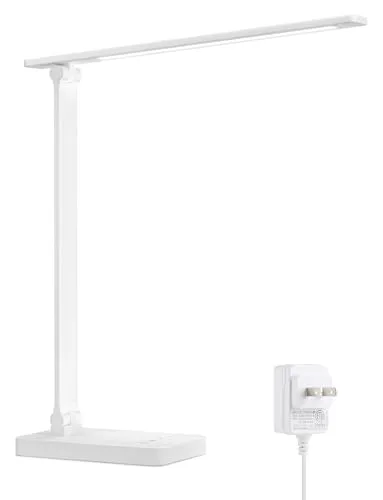
Lepro
LED Desk Lamp, Metal 9.5W 800lm, 5 Color Modes, Dimmable
- •$21.99 metal-body lamp with flicker-free output
- •5 color temps (3000K-6500K)
- •and touch dimming — real eye care
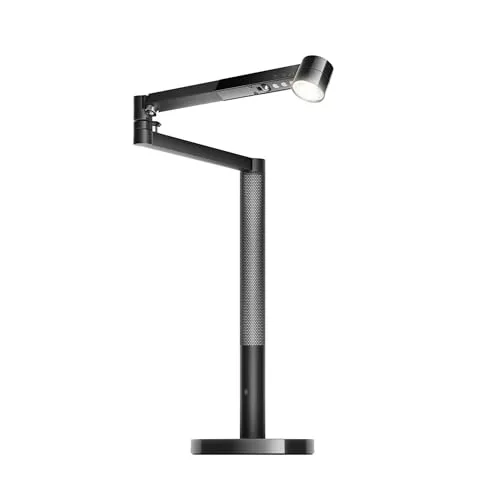
Dyson
Solarcycle Morph Desk Light (CD06)
- •CRI90+ daylight-tracking forever-lamp; brilliant hardware
- •but $650 only pays off over decades
- •not a 4-year dorm window
The Short Answer
For most students the BenQ ScreenBar ($99) is the right answer: CRI>95 flicker-free optics that throw light onto the desk without ever hitting the screen, USB-powered, zero desk footprint, and roughly $8 a year over its LED life. On the tightest budget the $22 Lepro still beats the harsh overhead.
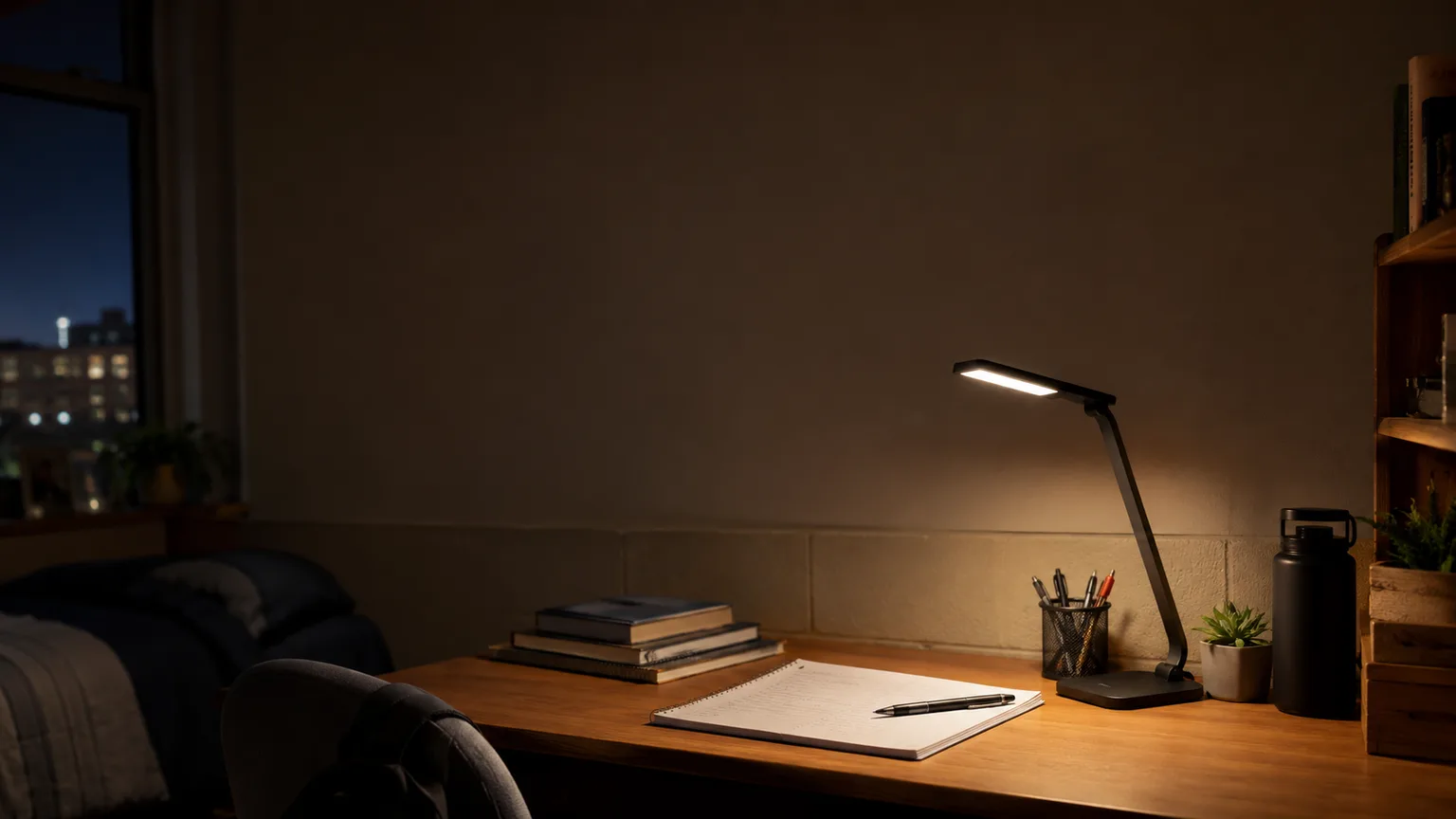
The dorm overhead is a single fluorescent or bare LED panel, too dim for close reading, so you lean into a glowing laptop in a dark room. International lighting guidance recommends keeping the screen-to-room contrast ratio under roughly 1:3; a bright screen in a dark room blows past it, which produces the hour-two headache. A study lamp pulls three eye-strain levers — flicker-free LED driver, CRI 90+ color rendering, and glare control — and Autonomous names dimmable, color-adjustable task lamps the top category for this. We rank picks on the DGH Cost-per-Year-of-Use Score. It is a weighted composite: it spreads net price across a 10-year LED life, then scores it 0-10 with a credit for eye-strain payoff per dollar. By that formula the $99 BenQ ScreenBar delivers ~$8/yr. The $650 Dyson hits ~$160/yr in a 4-year dorm window.
Head-to-Head: CRI, Flicker, Glare, Color Temp, and Cost-per-Year
Lighting
Chart
 DormGearHQ.com
Tap any pick to check its live price on Amazon.
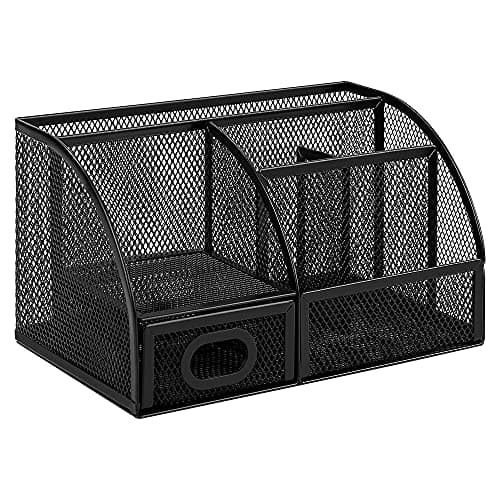
Amazon Basics Mesh Pen Holder and Desktop Desk Organizer, Office Caddy, 9.1 x 5.9 x 5.5 inches, Black
$14.95Must BuyView on Amazon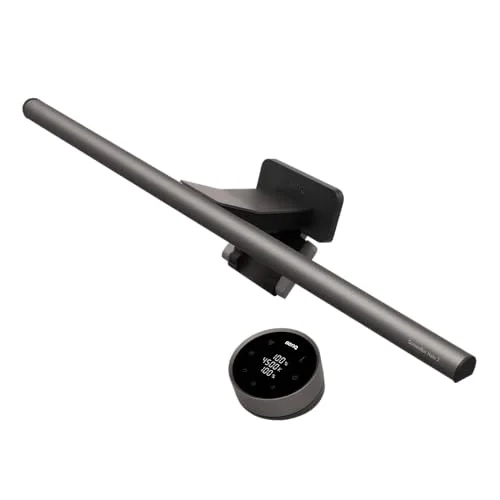
BenQ ScreenBar Halo 2 LED Monitor Light Bar (Wireless Controller, Backlight)
$180Must BuyView on Amazon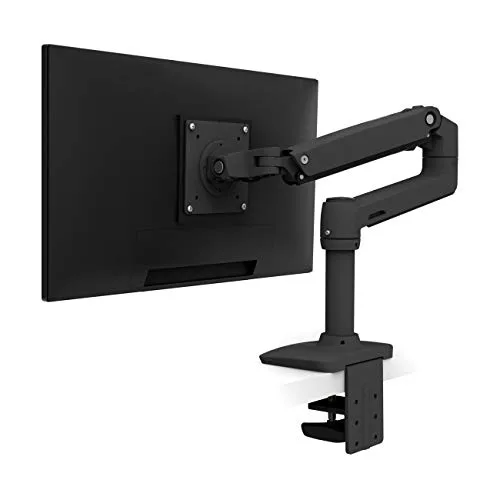
Ergotron LX Desk Mount Single Monitor Arm (Matte Black)
$190Must BuyView on Amazon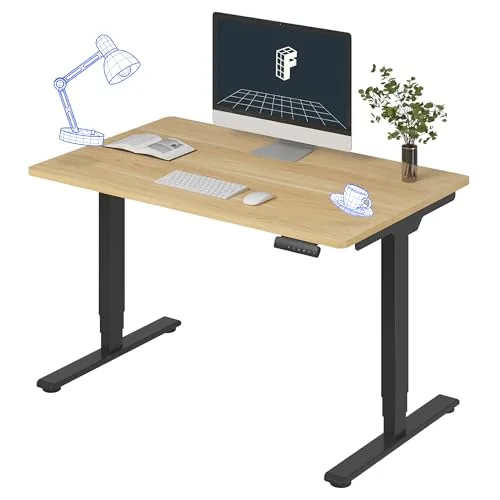
FLEXISPOT E6 Dual-Motor Electric Standing Desk 48x30
$340Must BuyView on Amazon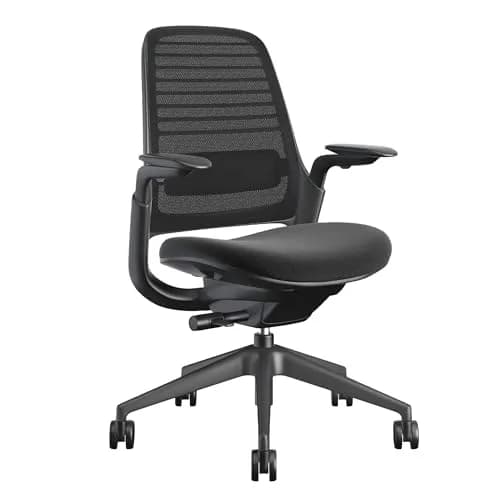
Steelcase Series 1 Ergonomic Office Chair
$415Must BuyView on Amazon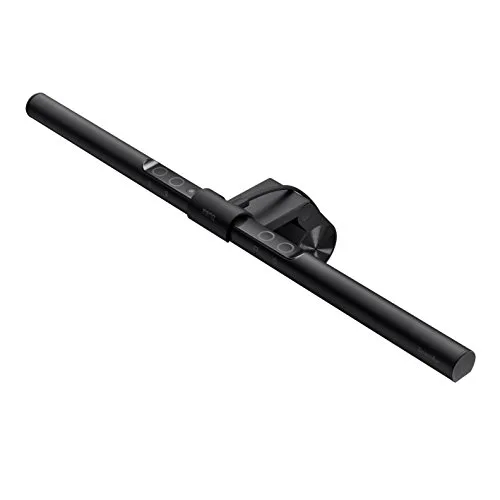
BenQ ScreenBar LED Monitor Light Bar (Auto-Dimming, USB-Powered)
$99RecommendedView on Amazon
Best Overall: BenQ ScreenBar Halo 2 LED Monitor Light Bar (Wireless Controller, Backlight)
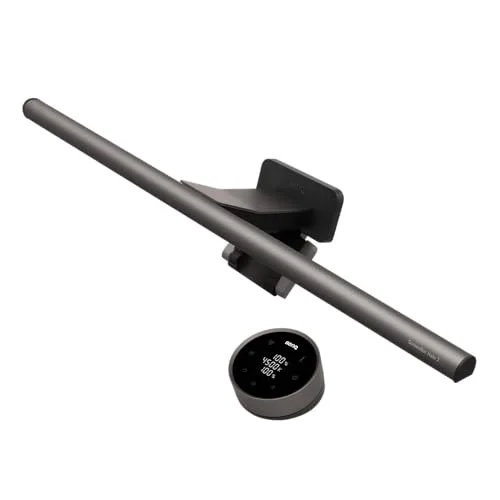
BenQ ScreenBar Halo 2 LED Monitor Light Bar (Wireless Controller, Backlight)
(Current price, subject to change)
- ScreenBar Halo 2 LED light bar
- Counterweight monitor clamp
- Wireless dial controller
- USB-C power cable
- User manual
Tom's Guide tested the Halo 2 and recommends it over the original, measuring the front light rising from 800 to 1,000 lux with an ultrasonic motion sensor that lights the desk automatically. The Ra98 color rendering BenQ specs is the highest in this guide, and the asymmetric optics deliver 1,000 lux onto the desk while keeping light entirely off the screen — a bright desk versus zero glare reflecting back. The tri-zone backlight then produces a softer screen-to-wall contrast that a plain task lamp cannot touch.
The DGH Cost-per-Year-of-Use Score lands at 8.4, second here. The formula is honest about price: ~$180 over a ~12-year, 50,000-hour LED life normalizes to roughly $15/yr — the highest cost-per-year among the sensible picks. It still scores high because the eye-strain payoff factor, weighted against that $/yr, is the largest in the guide; it is the only pick attacking the contrast lever with a backlight. Compared to the standard ScreenBar, you pay roughly double for the backlight, the brighter 1,000-lux throw versus 500 lux, and the wireless dial — a real premium that enables the most eye care per year.
What We Love
- Tom's Guide measured the front light at 1,000 lux — up from 800 on the original — and recommends the Halo 2 over its predecessor
- CRI Ra98 is the highest color-rendering spec in this guide; text and notes read clean under it through a full late-night session
- Asymmetric optics throw all that light down onto the keyboard and notes without a single ray hitting the screen, so no glare bounces back at your eyes
- Rear tri-zone backlight lowers the screen-to-wall contrast that lighting guidance blames for hour-two eye fatigue
- Counterweight clamp adds zero desk footprint and comes off clean at move-out — no screws, no command strips, no holes
What Could Be Better
- At ~$180 it is the priciest non-Dyson pick — its ~$15/yr cost-per-year is the highest among the sensible options
- Needs a monitor or laptop-stand top edge to clamp to; useless on a bare desk or for studying in bed
- Backlight and webcam mount are features a pure note-taker will never touch, so part of the price is desk ambiance
The Verdict
If late-night screen glare gives you headaches and you study at a monitor, the BenQ ScreenBar Halo 2 LED Monitor Light Bar (Wireless Controller, Backlight) is the strongest fix here. Tom's Guide measured 1,000 lux and recommends it over the original; Ra98 optics and a tri-zone backlight attack screen-to-room contrast directly. At ~$15/yr over its LED life, it is the most eye care money can buy in this guide.
Best Value: BenQ ScreenBar LED Monitor Light Bar (Auto-Dimming, USB-Powered)
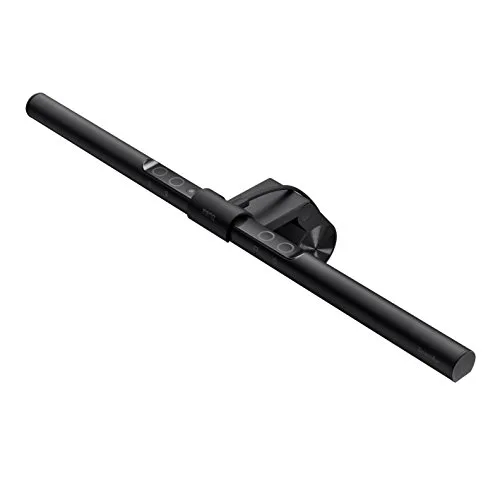
BenQ ScreenBar LED Monitor Light Bar (Auto-Dimming, USB-Powered)
(Current price, subject to change)
- ScreenBar LED light bar
- Counterweight monitor clamp
- USB power cable
- User manual
BenQ specs the standard ScreenBar at CRI>95 with a flicker-free, anti-blue-light LED delivering roughly 500 lux through the patented counterweight clamp and auto-dimming sensor. Those optics are manufacturer-published, not lab-tested — the Halo 2 is the line member Tom's Guide actually measured — but tens of thousands of Amazon verified buyers, at a 4.5-star average, cite zero screen glare and freed-up desk space as why they bought it. The dorm win is USB power: it runs off the monitor with no wall outlet, which matters when the power strip is full, and the auto-dimming sensor holds a comfortable level from afternoon to a 2 a.m. cram.
The DGH Cost-per-Year-of-Use Score reaches 8.8 — the top mark in the guide. The weighted formula rewards the per-dollar payoff: ~$99 over a ~12-year LED life normalizes to roughly $8/yr, and that delivers CRI>95 flicker-free no-glare optics, most of the eye-strain benefit the $180 Halo produces. Compared to the Halo you give up the backlight and the brighter throw — 500 lux versus 1,000 — not the core no-glare design. For most students this is the right buy; the Halo is the upgrade only if screen contrast is your specific complaint.
What We Love
- Same CRI>95 flicker-free anti-blue-light LED and asymmetric no-glare optics as the Halo line at roughly half the price
- USB-powered off the monitor or a laptop — no wall outlet, so it is one less thing fighting for the dorm power strip
- Counterweight clamp leaves the whole desk surface free and comes off in seconds at move-out, no command strips or screws
- Auto-dimming light sensor matches output to room brightness, comfortable from an afternoon session through 2 a.m.
- Touch controls for brightness and color temperature live on the bar itself — no separate dongle to lose
What Could Be Better
- No rear backlight, so it does not soften screen-to-wall contrast the way the Halo models do
- Touch controls sit on top of the bar, so you reach up to adjust rather than using a desk dial
- Narrower ~500-lux throw is sized for one monitor, not an ultrawide
The Verdict
If you want BenQ's eye-care optics without the flagship price, the BenQ ScreenBar LED Monitor Light Bar (Auto-Dimming, USB-Powered) is the value sweet spot. BenQ specs it with CRI>95 flicker-free no-glare optics, USB-powered with zero desk footprint, for $99 — and Amazon verified buyers consistently cite zero screen glare. You are well-served here unless you specifically need the Halo's contrast-cutting backlight.
Budget Pick: Lepro LED Desk Lamp, Metal 9.5W 800lm, 5 Color Modes, Dimmable
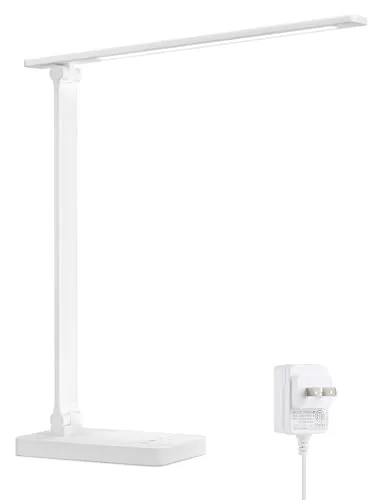
Lepro LED Desk Lamp, Metal 9.5W 800lm, 5 Color Modes, Dimmable
(Current price, subject to change)
- Lepro 9.5W LED desk lamp
- Power adapter
- User manual
Autonomous names dimmable, color-adjustable LED task lamps the best category for reducing study eye strain, and College Campus Compass recommends compact dimmable lamps for dorm desks on brightness, efficiency, and footprint — the Lepro hits that brief at $21.99. It delivers the two eye-strain levers money cannot skip at this price: a flicker-free 800-lumen, 9.5W driver, and five brightness levels with touch dimming that drop output low enough not to glare in a shared room. Five color temperatures from 3000K to 6500K produce cool daylight to focus versus warm light to wind down, and the metal body shrugs off the bumps that crack the plastic clip lamps it competes with.
The DGH Cost-per-Year-of-Use Score reaches 9.0 — the highest here. The arithmetic is blunt: ~$22 over a ~10-year LED life normalizes to about $2/yr, the lowest cost-per-year by a wide margin. It is docked only on two factors — CRI is unrated and lower than the BenQ Ra95+ bars, so per-year quality is adequate rather than premium, and the freestanding base scores lower on desk-clamp fit. But even the cheapest sensible dollars still buy real eye care: a flicker-free, dimmable, color-adjustable lamp beats a free, eye-wrecking overhead every night.
What We Love
- 800 lumens from a 9.5W head is bright enough to study by without the harsh overhead fluorescent most dorms ship
- Five color temperatures span 3000K warm to 6500K daylight, so one lamp does focused study and warm wind-down reading
- Five brightness levels plus touch dimming let you tune glare down for a shared room at night
- Flicker-free, glare-reduced output is the eye-care spec that actually matters across long sessions, even at this price
- Metal body survives a desk that gets bumped, unlike the plastic clip lamps in the same price band
What Could Be Better
- CRI is unrated and lower than the BenQ bars, so color rendering is adequate rather than premium
- No built-in USB charging port, unlike some lamps at this price
- The base takes up desk space a clamp-on bar would not
The Verdict
If your budget tops out around $25 and you need to escape a harsh overhead tonight, the Lepro LED Desk Lamp, Metal 9.5W 800lm, 5 Color Modes, Dimmable is the honest pick. Autonomous backs dimmable, color-adjustable LED task lamps for cutting study eye strain, and at $21.99 this one delivers the flicker-free, dimmable, 3000K-6500K baseline. You are well-served unless you need BenQ-grade color accuracy.
Premium Pick: Dyson Solarcycle Morph Desk Light (CD06)
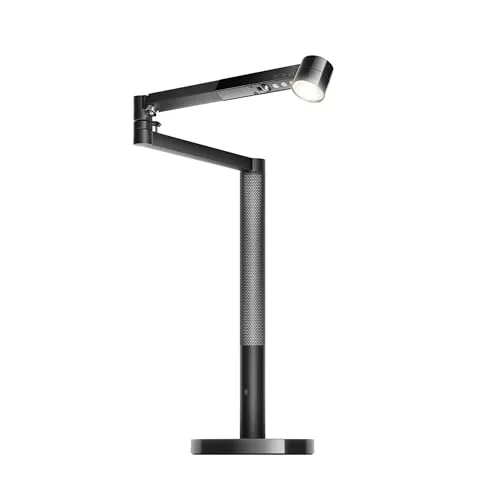
Dyson Solarcycle Morph Desk Light (CD06)
(Current price, subject to change)
- Dyson Solarcycle Morph Desk light (CD06)
- Weighted desk base
- Power adapter
- MyDyson app (free)
- User manual
TechRadar reviews the Solarcycle Morph Desk as a show-stopping lamp meant to last decades, praising the daylight-tracking and build quality while flagging the steep price; TechRadar's verdict and Trusted Reviews' "part desk lamp, part lightsaber, all expensive" are both fair. The hardware delivers: CRI 90+ precision optics, MyDyson daylight-tracking that matches brightness and color temperature to the time of day, a boost mode pushing ~850 lumens for a timed focus burst, and a three-axis Morph arm that reshapes into task, indirect, or downlight. As pure eye-strain engineering it is excellent.
The DGH Cost-per-Year-of-Use Score lands at 5.5 — lowest here, and that is the honest verdict, not a knock on the light. Dyson markets a ~60-year LED life, which makes cost-per-hour look fantastic on paper. But a student does not have 60 years; spread ~$650 over a realistic 4-year horizon at ~0.7 utilization and the normalized cost-per-year factor sails past $160/yr versus the ScreenBar's $8/yr. The composite exists precisely to punish paying decades-of-use money for a 4-year window. The large weighted base also crowds a dorm desk, producing a low desk-clamp-fit score. Buy it as a forever-lamp for a real desk, not a dorm.
What We Love
- CRI 90+ and precision-engineered optics deliver high-quality, even light calibrated to reduce eye strain over long sessions
- Daylight-tracking via the MyDyson app auto-adjusts brightness and color temperature to local daylight and time of day
- Boost mode pushes ~850 lumens and a cooler temperature for a 20-minute focus burst, then steps back down
- Three-axis Morph arm reposes the head into task light, indirect ambient, or a downlight without taking the lamp off the desk
- Built to last with a ~60-year LED lifespan claim — the lowest theoretical cost-per-hour of any lamp here, if you actually keep it
What Could Be Better
- At ~$650 it is wildly overpriced for a 4-year dorm window — the cost-per-year only pays off over a multi-decade horizon
- Large heavy base and tall arm dominate a small dorm desk and are a hassle to move at semester's end
- App dependence and motion/daylight features are luxury extras a note-taker simply does not need
The Verdict
If you want a forever-lamp to keep for decades after graduation, the Dyson Solarcycle Morph Desk Light (CD06) is genuinely excellent — but the wrong buy for a dorm. TechRadar and Trusted Reviews praise the daylight-tracking and CRI90+ optics while flagging the ~$650 price. Over a realistic 4-year dorm horizon the cost-per-year balloons past $160. Worth it only if the long lifespan gets used.
How We Score: DGH Cost-per-Year-of-Use Score
DGH Cost-per-Year-of-Use Score
Score Formula
(MSRP − expected resale at end of life) ÷ (expected lifespan in years × utilization intensity), expressed as $/yr (lower is better), then normalized to 0-10 (higher is better) with a credit for the eye-strain payoff bought per dollarScore Factors
- Net Cost (MSRP − Resale)Purchase price minus realistic end-of-life resale value. For desk lamps resale is effectively $0 across the board — nobody buys a used dorm lamp — so net cost tracks the sticker: ~$22 Lepro, ~$99 BenQ ScreenBar, ~$180 Halo 2, ~$650 Dyson. This is the numerator that the lifespan has to pay down.
- Expected Lifespan & UtilizationLED desk lamps are rated 25,000-50,000 hours, so the honest lifespan denominator is ~10-12 years for a daily study lamp at utilization ≈ 1.0. The Dyson is the exception: its ~60-year claim is a fantasy denominator for a student, so the metric uses a realistic 4-year dorm window at ~0.7 utilization, which is why its cost-per-year balloons past $160 while the BenQ ScreenBar sits near $8.
- Eye-Strain Payoff per DollarThe score is not raw cheapness. After the $/yr figure is normalized, it credits how much real eye care each dollar buys — flicker-free driver, high CRI, and no-glare optics. That credit is why the $99 ScreenBar nearly ties the $22 Lepro despite costing 4.5x more per year: the per-dollar eye-strain return is the best in the guide.
DGH Cost-per-Year-of-Use Score — Ranked
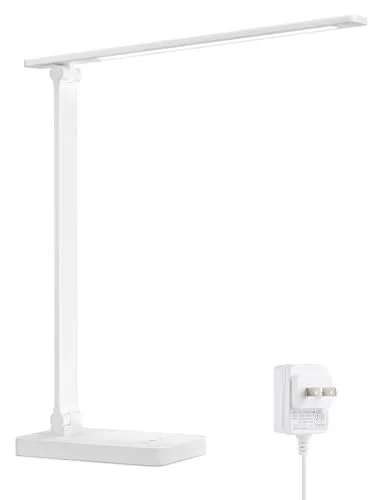
Lepro LED Desk Lamp, Metal 9.5W 800lm, 5 Color Modes, Dimmable
9.0/10~$2/yr over a 10-year LED life — lowest cost-per-year here; flicker-free dimmable baseline eye care at $22
BenQ ScreenBar LED Monitor Light Bar (Auto-Dimming, USB-Powered)
8.8/10~$8/yr buys CRI>95 flicker-free no-glare optics — the best eye-strain payoff per dollar in the guide
BenQ ScreenBar Halo 2 LED Monitor Light Bar (Wireless Controller, Backlight)
8.4/10~$15/yr is the priciest sensible pick, but Ra98 + tri-zone backlight deliver the most eye care per year
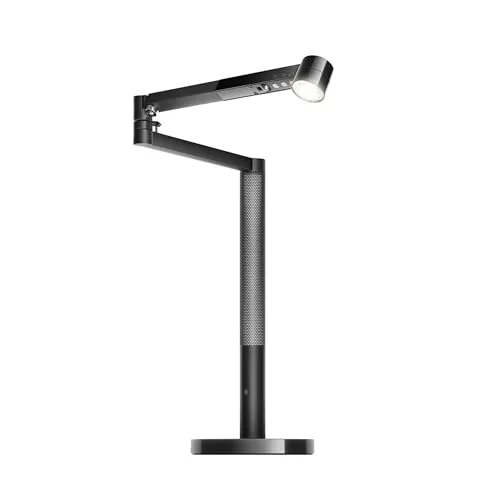
Dyson Solarcycle Morph Desk Light (CD06)
5.5/10Excellent optics, but ~$650 over a realistic 4-year dorm window is >$160/yr — great lamp, wrong buyer
Dorm-Safe Install and the Bar vs. Lamp Question
Every pick here is move-out-clean. The BenQ ScreenBar and ScreenBar Halo 2 clamp to the top edge of a monitor with a weighted counterweight hook — no screws, no adhesive, no command strips, and they lift off in seconds. The Lepro and the Dyson are freestanding; you just set them on the desk. None of the four needs to touch a wall, which is the whole point in a housing contract that bans holes and adhesive. If your only screen is a laptop, a monitor light bar still works — but only if the laptop sits on a stand with a top edge to clamp to. On a bare desk with a laptop flat in front of you, skip the bar and pick a freestanding lamp instead.
The bar-versus-lamp choice comes down to where your eyes are pointed. A monitor light bar clamps above the screen and lights straight down onto the keyboard and notes with zero desk footprint and, critically, zero light hitting the screen — so there is no glare bouncing back at you. That is the eye-strain ideal if you study at a screen. A freestanding desk lamp lights a wider area and is the better tool for paper-heavy work, wide layouts, or a desk with no monitor at all. For the dorm-workstation setup this guide's hub covers — a sit-stand riser with a monitor on top — the BenQ bars are the natural fit: they clamp to the display, draw USB power off the same screen, and travel up and down with the desk. The freestanding Lepro and Dyson do their job well but do not ride a height-adjusting surface as cleanly.
Longevity is the engine of the DGH Cost-per-Year-of-Use math. LED desk lamps are rated for 25,000 hours to 50,000 hours, which is roughly a 10-year to 12-year life at daily study use — so the purchase price spreads thin across the years. Tom's Guide's Halo 2 testing and TechRadar's Dyson review both reach the same conclusion this guide quantifies: the eye-care hardware is what you are paying for, not the bulb. For the standard ScreenBar that hardware is manufacturer-specified by BenQ and corroborated by Amazon verified-buyer sentiment rather than an outlet lab test. Autonomous and College Campus Compass back the broader point that a dimmable, color-adjustable lamp is the right buy over a harsh overhead. Compared head to head, a $99 ScreenBar at a normalized 8.8 produces more eye care per year than a $650 Dyson at 5.5, because the Dyson's decades-long lifespan goes unused in a 4-year dorm window — the factor that yields its low composite. Tom's Guide, TechRadar, Autonomous, and College Campus Compass inform the dimension weights; the $/yr factor stays dominant.
When NOT to Buy
Stub WNTB (Block 3B fallback).
Frequently Asked Questions
Will a desk lamp actually reduce my eye strain, or is that marketing?
It is real, through three measurable levers — not just brightness. First, a flicker-free LED driver removes the invisible strobing that cheap drivers produce, which your eyes fight through a long session. Second, high CRI (color rendering) means text and color are accurate enough that you squint less. Third, glare control plus dimming and adjustable color temperature let you keep the screen-to-room contrast under the roughly 1:3 ratio that international lighting guidance recommends — that contrast gap, not the light itself, is the biggest driver of the hour-two headache. A lamp that hits all three genuinely cuts fatigue.
What's the difference between a monitor light bar and a regular desk lamp?
A monitor light bar clamps to the top of your screen and lights straight down onto the keyboard and notes, taking up zero desk space and putting no light on the screen itself — so there is no glare reflecting back at you. A regular desk lamp sits on or clamps to the desk and lights a wider area. The rule of thumb: if you study at a screen, a bar like the BenQ ScreenBar is the better eye-strain tool; if you do paper-heavy or wide work, or have no monitor, a freestanding lamp like the Lepro covers more area.
Can I use any of these in a dorm without drilling or adhesive?
Yes — all four are dorm-safe. The two BenQ bars clamp to the top edge of a monitor with a weighted counterweight hook: no screws, no adhesive, no command strips, and they come off in seconds at move-out. The Lepro and Dyson are freestanding, so you simply place them on the desk. None of the four needs to attach to a wall, which clears the no-holes, no-adhesive provisions in standard housing contracts. Confirm your specific contract, but nothing here requires a permanent mount.
Is the BenQ ScreenBar worth $99-$180 over a $22 lamp?
Frame it with the DGH Cost-per-Year-of-Use Score. The $99 ScreenBar works out to about $8 a year over a 12-year LED life — only a few dollars a year more than the $22 Lepro's ~$2/yr — and that gap buys CRI>95 flicker-free optics and an asymmetric no-glare throw that keeps light off the screen. The eye-strain payoff per dollar is the best in the guide. The Lepro is the right call only on the tightest budget; if you can spend $99, the ScreenBar is the value pick most students should make.
What CRI and color temperature should I look for in a study lamp?
Aim for CRI 90 or higher for the cleanest color rendering (80+ is acceptable for plain reading). The BenQ bars lead here — Ra98 on the Halo 2 and CRI>95 on the standard ScreenBar — with the Dyson at 90+ and the Lepro adequate but unrated. For color temperature, look for an adjustable range, ideally around 3000K to 6500K: cool daylight near 6500K for focus and alertness, warm light near 3000K for evening wind-down. All four picks adjust color temperature; the BenQ and Lepro both span roughly that full range.
Is the Dyson Solarcycle Morph worth $650 for a dorm?
Honestly, no — not for a dorm. The hardware is excellent: CRI 90+, daylight-tracking, and a Morph arm that reshapes the light, all praised by TechRadar and Trusted Reviews. But the value math only works over decades. Spread $650 across a realistic 4-year dorm window and the cost-per-year sails past $160 — the worst in this guide — which is exactly why it scores 5.5 on the DGH Cost-per-Year-of-Use Score. Buy it as a forever-lamp for a real desk you will keep for life, not as a dorm lamp.
Does a monitor light bar work without a monitor, on a laptop only?
Only if you put the laptop on a stand with a top edge to clamp the bar to. The BenQ counterweight clamp needs a screen edge roughly 1 cm thick to grip. On a bare desk with the laptop flat in front of you, there is nothing to clamp to, so a monitor light bar will not work — pick a freestanding lamp like the Lepro or Dyson instead. If you already use a laptop stand for ergonomics, the ScreenBar clamps onto it just fine.
Will the lamp survive dorm life and move with me after graduation?
Yes. The metal-bodied picks — both BenQ bars and the Lepro — take desk bumps without trouble, and every option detaches in seconds with no permanent mount to undo. LED lifespans run 25,000 to 50,000 hours, which is 10-plus years of daily study, so all four outlast a four-year degree by a wide margin. That longevity is the whole basis of the DGH Cost-per-Year-of-Use math: a lamp that lasts a decade spreads its price thin, which is why even the $99 ScreenBar lands at about $8 a year.
Bottom Line
Get the BenQ ScreenBar LED Monitor Light Bar (Auto-Dimming, USB-Powered) if you study at a monitor or laptop on a stand and want BenQ's CRI95+ flicker-free no-glare optics at the best cost-per-year in the guide — about $8 a year.
Get the BenQ ScreenBar Halo 2 LED Monitor Light Bar (Wireless Controller, Backlight) if late-night screen glare is your specific complaint and you want the brighter 1,000-lux front light plus the tri-zone backlight that softens screen-to-room contrast.
Get the Lepro LED Desk Lamp, Metal 9.5W 800lm, 5 Color Modes, Dimmable if budget is the deciding factor and you need flicker-free, dimmable, color-adjustable light to replace a harsh overhead for under $25.
Get the Dyson Solarcycle Morph Desk Light (CD06) if you are buying a forever-lamp you will keep for decades and value top color and daylight-tracking over dorm-window value.
If you study flat on a bare desk with no monitor or laptop stand, skip the BenQ bars entirely — there is nothing to clamp to, and a freestanding lamp like the Lepro is the right tool for that setup.
Sources & Methodology
Methodology: DGH Cost-per-Year-of-Use Score — Formula: (MSRP − expected resale at end of life) ÷ (expected lifespan in years × utilization intensity), expressed as $/yr (lower is better), then normalized to 0-10 (higher is better) with a credit for the eye-strain payoff bought per dollar. Factors: Net Cost (MSRP − Resale) · Expected Lifespan & Utilization · Eye-Strain Payoff per Dollar. Full factor definitions appear in the How We Score section above.
Expert review sources used in this analysis:
- DormGearHQ aggregates expert review data, manufacturer specifications, and community sentiment to produce consensus-based buying guidance
- We do not perform first-party product testing
- Expert ratings for this guide come from Tom's Guide (BenQ ScreenBar Halo 2 hands-on testing), TechRadar and Trusted Reviews (Dyson Solarcycle Morph Desk reviews), and Autonomous and College Campus Compass (desk-lamp-for-eye-strain category guidance), supported by manufacturer specifications from BenQ, Lepro, and Dyson and Amazon verified-buyer community sentiment for the standard BenQ ScreenBar, with verified retailer listings at Amazon as of 2026-06-20
- Where a pick's second source is manufacturer spec or community sentiment rather than an independent outlet review — as with the BenQ ScreenBar and the Lepro — that is stated plainly in the relevant review and not dressed up as an outlet test
- CRI, flicker-free, lux, and color-temperature figures are manufacturer-published except where an outlet measured them (Tom's Guide measured the Halo 2's 1,000-lux front light)
- The DGH Cost-per-Year-of-Use Score is DormGearHQ's proprietary metric: it divides net purchase price by an expected LED lifespan of 25,000 hours to 50,000 hours — a 10-year to 12-year life at daily study use, versus a realistic 4-year horizon for the $650 Dyson — to a dollars-per-year figure, then normalizes it 0-10 with a credit for the eye-strain payoff bought per dollar
- The full formula and factor weights are documented at the methodology page linked above
- Prices verified against Amazon Buy Box 2026-06-20 and subject to change.
Nicholas Miles is the founder of DormGearHQ and a longtime smart home enthusiast focused on helping everyday homeowners make better technology decisions. He researches, compares, and writes about products across security, climate, lighting, leak prevention, sensors, home energy, and automation, with an emphasis on real-world usefulness, ecosystem compatibility, reliability, privacy, and long-term value.
Affiliate disclosure: DormGearHQ earns affiliate commissions on qualifying Amazon purchases. Our scoring methodology is independent of affiliate relationships.